
You’re staring at a support ticket that just came in. “Conference room AV system down, urgent meeting in 20 minutes.” The problem? You’re 300 miles away from that conference room, working remotely, and you haven’t touched actual AV hardware in weeks.
Or maybe you’re a freelancer who just landed a gig at a facility using 15-year-old equipment you’ve never seen before. The client expects you to hit the ground running, but you’re secretly hoping nothing breaks during your short stint there.
Sound familiar? You’re not alone.
The AV industry has a dirty little secret: staying sharp on troubleshooting is incredibly hard when you’re not hands-on with equipment every single day. And for those of us working remotely, jumping between freelance gigs, or stuck maintaining legacy systems on shoestring budgets, it’s even harder.
The Remote Reality: When Your Office is Your Living Room
Working from home changed everything for AV professionals. Sure, you can design systems, create documentation, and manage projects from your laptop. But troubleshooting? That’s where things get tricky.
When you’re remote, you lose that daily muscle memory of working with hardware. You miss out on those “oh, this cable always gets loose” moments or “I recognize that hum: it’s the power supply” insights that only come from hands-on experience.
The result? You start second-guessing yourself. When a client calls with a problem, you find yourself saying, “Have you tried turning it off and on again?” more often than you’d like to admit: because frankly, that’s about all you can suggest without being there to see, hear, and touch the equipment.
The Freelancer’s Dilemma: Always Playing Catch-Up

Freelancers face a unique challenge. You’re constantly thrown into new environments with different systems, different workflows, and different problems. One week you’re working with state-of-the-art Crestron systems, the next week you’re troubleshooting a hodgepodge of equipment that was “assembled by the previous guy who left no documentation.”
Short-term gigs don’t give you time to really understand the quirks of each system. You’re expected to be the expert from day one, but you’re secretly learning as you go. And when something breaks? Everyone’s looking at you to fix it: fast.
The pressure is real. Your reputation depends on solving problems quickly, even when you’ve never seen that particular combination of equipment before.
Legacy Systems: When “Upgrade” Isn’t in the Budget
Here’s another reality check: not everyone gets to work with the latest and greatest equipment. Many of us are maintaining systems that were installed when flip phones were still a thing.
Legacy systems come with their own special brand of headaches. Compatibility issues between old and new components. Discontinued products that require creative workarounds. Documentation that exists only in the memory of someone who retired three years ago.
These older systems often have unique troubleshooting requirements that you can’t just Google. The solutions that worked on newer equipment don’t apply, and you’re left trying to remember obscure workarounds or hunting down ancient manuals.
Why Hands-On Experience Can’t Be Replaced (But It Can Be Simulated)
There’s something about physically working with AV equipment that builds instincts you just can’t get from reading manuals or watching YouTube videos. The way a system sounds when it’s about to fail. The feel of a cable connection that’s just slightly loose. The visual cues that tell you where to look first.
But here’s the thing: you can’t always get that hands-on experience when you need it. Equipment is expensive. Labs are limited. And you can’t exactly “practice” troubleshooting on a client’s live system.
That’s why I built AVHD Lab. After years of dealing with these exact frustrations: working remotely, jumping between different systems, maintaining equipment I couldn’t afford to replace: I realized we needed a better way to practice troubleshooting without the risk.
50+ Real-World Scenarios: Practice Without the Pressure

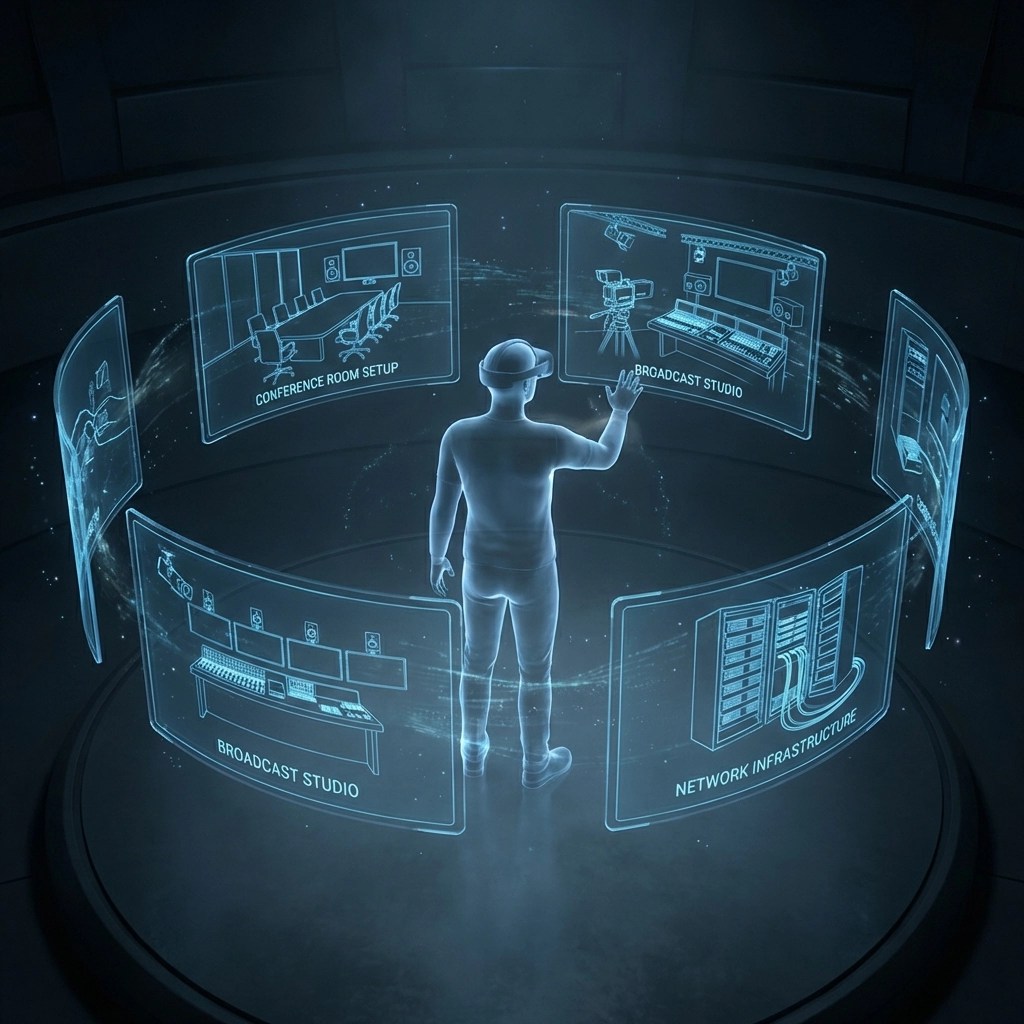
AVHD Lab gives you access to 10 different hands-on simulations, each packed with multiple troubleshooting scenarios. We’re talking 50+ real-world problems you can work through at your own pace, making mistakes without consequences.
Here’s what you can practice:
Conference Room AV Setup: That classic “no signal on the display” problem, audio routing issues, and control system glitches that always seem to happen right before the big presentation.
Smart Classroom: Interactive whiteboard connectivity problems, wireless presentation issues, and the fun challenge of troubleshooting when 30 students are watching you work.
Digital Signage: Network connectivity problems, content playback issues, and the mysterious “it worked yesterday” scenarios that keep you up at night.
Control System Programming: Debug those touch panel layouts that seemed perfect in testing but fall apart in real use. Practice identifying logic errors before they become emergency service calls.
Troubleshooting Lab: A dedicated space for working through systematic diagnostic approaches: the kind of methodical troubleshooting that separates pros from amateurs.
Content Creator Studio: Audio interfaces acting up, lighting control problems, and the streaming issues that can kill a live broadcast.
Podcast Studio: Microphone problems, mixing board confusion, and recording issues that would normally require expensive equipment to practice on.
Large Venue Audio: Speaker placement problems, feedback issues, and the complex signal routing challenges that come with big installations.
Broadcast Studio: Timing issues, signal switching problems, and the high-pressure troubleshooting that broadcast environments demand.
AV Network Infrastructure: IP-based system problems, network configuration issues, and the increasingly common challenges of AV over IP implementations.
Each simulation lets you work through multiple scenarios, make mistakes, try different approaches, and build those troubleshooting instincts without touching real equipment.
Your AI Troubleshooting Partner

Here’s where it gets interesting. AVHD Lab doesn’t just throw problems at you and leave you hanging. The built-in AI tutor works alongside you, offering real-time guidance and helping you think through problems systematically.
Think of it as having an experienced colleague looking over your shoulder: someone who can point you in the right direction when you’re stuck, but still lets you work through the solution yourself.
The AI also tracks your weak spots. Maybe you’re great with audio problems but struggle with network issues. The system notices these patterns and suggests specific areas to focus on.
Building Confidence When You Can’t Touch the Gear
The goal isn’t to replace hands-on experience: it’s to build the troubleshooting mindset and systematic approach that makes you effective even when you can’t physically touch the equipment.
When you’ve worked through dozens of scenarios in simulation, you start recognizing patterns. You develop that mental framework for approaching problems methodically. You build confidence in your diagnostic skills.
And when you’re on that support call, trying to guide someone through a fix remotely, you’ve got a library of scenarios in your head to draw from. You know which questions to ask first, what the likely culprits are, and how to guide someone through the solution.
Stay Current, Even with Legacy Systems
One of the biggest advantages of simulation-based learning is that you can experience modern equipment and techniques even when your day-to-day work is with older systems.
You might be maintaining 10-year-old conference rooms at your current job, but you can still practice with current AV-over-IP implementations in simulation. When that upgrade budget finally comes through: or when you move to a new position: you’re not starting from scratch.
The Freelancer’s Secret Weapon
For freelancers, AVHD Lab is like having a portable lab you can access anytime. Before starting a new gig, you can review relevant scenarios and refresh your troubleshooting approach.
Got a new client with Crestron systems and you’re more familiar with AMX? Pull up the control system programming simulation and get your bearings before you walk in the door.
The simulations also help you ask better questions during the initial client consultation. When you know what can go wrong, you know what to look for during system assessment.
Making Troubleshooting Systematic (Not Stressful)
Good troubleshooting isn’t magic: it’s methodical. AVHD Lab reinforces the systematic approach that the research shows works best:
Start with the basics: power connections, cable seating, compatibility checks. Then work through the problem categories: video, audio, connectivity, control systems.
But knowing the approach is different from being able to execute it under pressure. The simulations let you practice that systematic thinking until it becomes second nature.
Your Next Step: Practice Without Risk
Look, I built AVHD Lab because I needed it. Years of remote work, legacy system maintenance, and the constant pressure to solve problems I couldn’t physically touch taught me that we needed a better way to stay sharp.
The platform gives you what I wish I had: a safe space to practice, make mistakes, and build troubleshooting instincts without the pressure of a live system going down.
You can try it free at lab.avhd.me. No credit card required, no commitment. Just you, 50+ troubleshooting scenarios, and the chance to build the confidence that comes from knowing you can handle whatever problem comes your way: even when you’re working from your kitchen table, 300 miles from the equipment.
Because in this industry, staying sharp isn’t optional. And now, neither is being physically present to do it.